Pin comments or notes to any web
page like a canvas.
Ever wish the most popular websites that you visit on a daily basis had a built in comment or note feature? so you can pin important comments, screenshots or documents to them?
With BEAM NOTE now you can. BEAM NOTE allows you pin comments to any live web page in real time. These are not just notes sitting on the side bar of the webpage, no. These are pinned to The actual ELEMENT on the page you’re looking at — an order, a price, a paragraph. Reload, scroll, come back next week: Comment is still attached. No other note app does that.
WARNING: Once you're exposed you will never see notes the same again!
Let Your notes FIND YOU as you BROWSE
Select a keyword once on any page — a part number, seller name, address. Then, Wherever that keyword shows up next — whether it's search results, order pages, chats, ANYWHERE on the web — BEAM NOTE activates the note and shoots a laser to the note from the keyword that triggered it, files attached.
ebay.com — order history
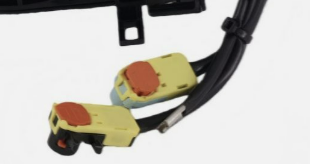
Steering Wheel Clock Spring 84308-02160K1 — 19-23 Corolla
ebay.com — search results
OEM Spiral Cable Clock Spring 84308-02160 Black
alibaba.com — messages
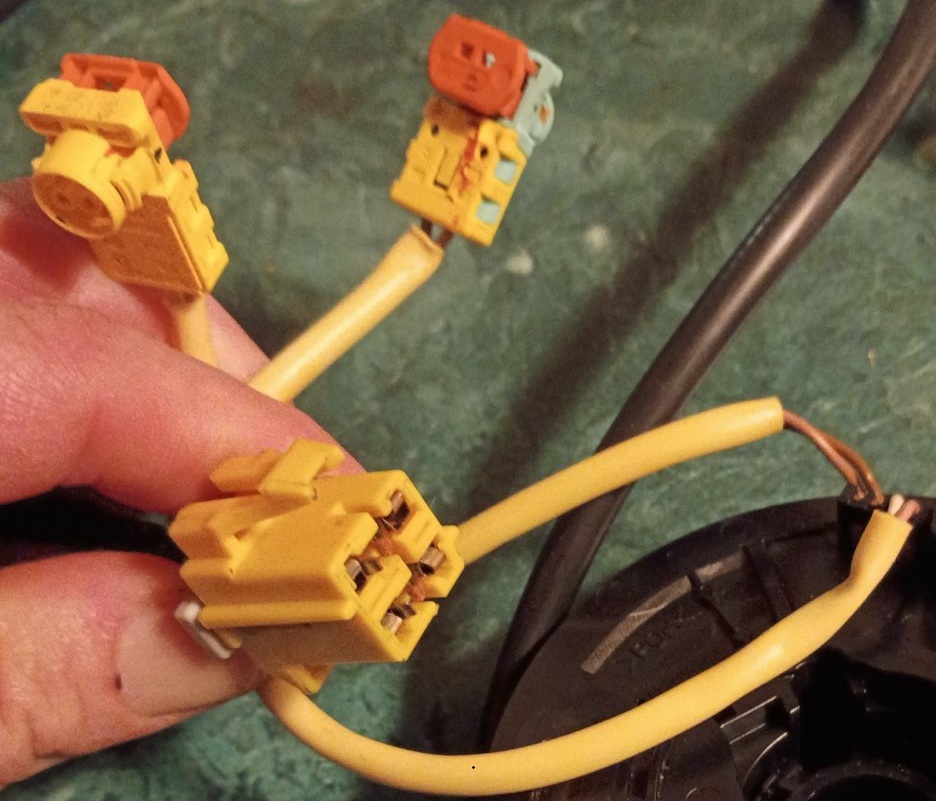
Jonina: “Can you quote 84308-02160 with three plugs?”
This is the model with THREE plugs — fits the 19-23 Corolla.
Saved homes
Sort: Newest ⌄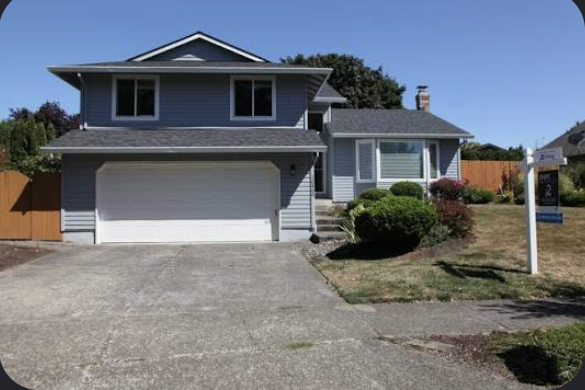
4 bd · 2.5 ba · 2,140 sqft — 1128 SE Maple Ct
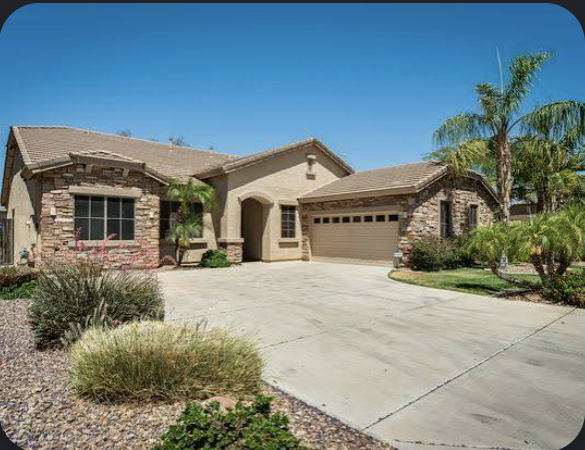
3 bd · 2 ba · 1,980 sqft — 2214 W Marigold Ln
3 bd · 1.5 ba · 1,720 sqft — 908 NE Alder St
Signed purchase agreement attached — inspection contingency ends Jul 24, don’t let this slip.
Purchase-Agreement_1128-SE-Maple.pdfGot it — sending the lender the appraisal order today.
Attach a Note/File to any element
No keyword trigger needed — click any element, image, or listing on any website and leave the comment, attatch a PDF or any file right there on the page. Reload the page, Close your browser, scroll, it doesnt matter. Come back next month: the laser still points at the exact element, replies and all.
01
Pin to element triggers
Click on any element — then leave a comment on an order, on an image, You name it — The possibilities are endless. The comment stays anchored to that element on YOUR COMPUTER ONLY no one else can see it. Scroll, reload, resize, close your browser: it stays exactly where you left it. Even if you close your browser and dont revisit that site for a year. still there.
02
Follows the content
If the element moves, the comment moves with it. If it disappears from the page, BEAM NOTE keeps your comment and tells you what changed. Nothing you wrote is ever orphaned.
03
Keyword triggers
Set a keyword — a product name, a ticket number, a person, an address — and your comment and attatched files fires anywhere that keyword appears, on any page. One trigger, every mention, no re-pinning.
04
Private by default
Comments are yours, not the web site its pinned on. Even though it APPEARS like its published on the webpage, your notes are saved in your BEAMNOTE account and sync across your devices.
Where does the comment live?
| ELEMENT PINNED COMMENTS | |
|---|---|
| Element pinned comment | On the live page, pinned to the element forever until you delete it. |
| Finding it again | It’s already there when you return |
| The context | The real thing, the element is the context |
| The page changes | The note stays on that page only — |
| KEYWORD TRIGGERED COMMENTS | |
|---|---|
| Keyword triggered comment | Attached to a keyword — a part number, seller name, address — not anchored to one page. |
| Finding it again | The note fires on ANY page where that keyword appears (unlike the element pin that stays confined to the pinned page) |
| The context | Wherever the trigger keyword shows up — search results, order pages, chats |
| The page changes | Doesn’t matter — new page, new site, the trigger still fires if the keyword is detected |
A note, doing its job
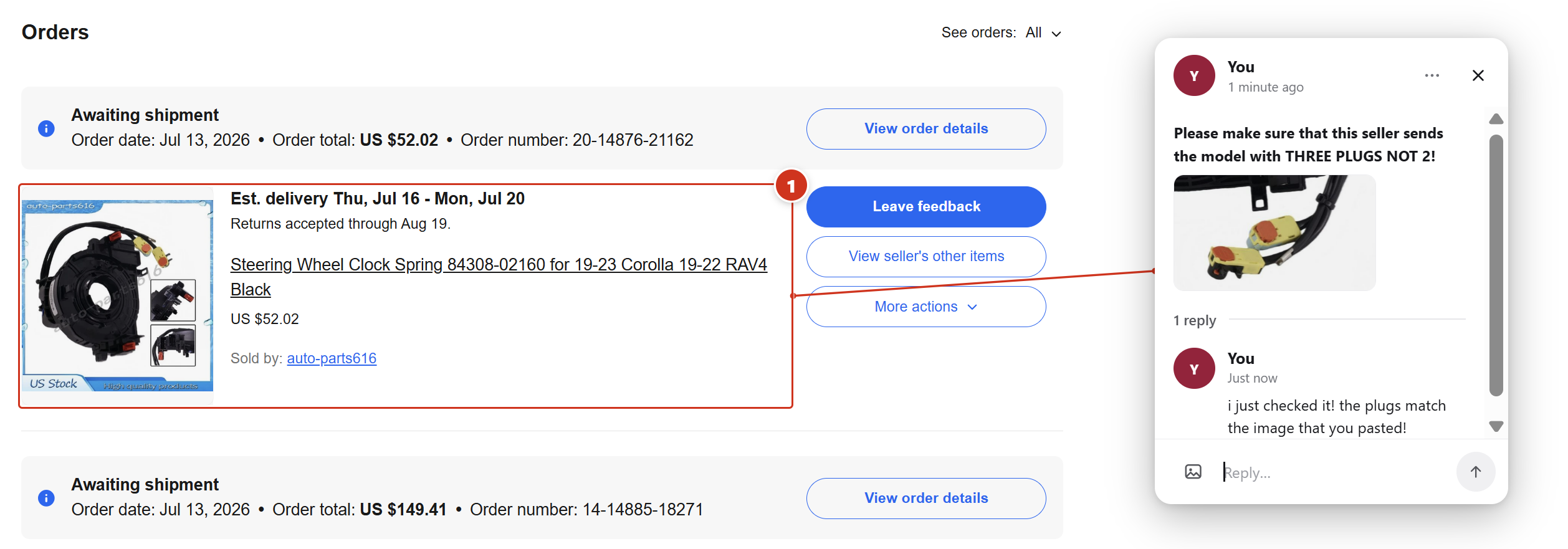
This is not your grandpas side bar sitting note taking app that generically sits in a side bar on your webpage. Here is a real world example of A comment that was pinned to an order on an order history page. The laser line points at the exact item on the page in question, and the reply thread settles the question — three plugs, not two.
BEAM NOTE, IN ACTION
Realtor
Automotive
Finance
Drop your screen recordings into the project as assets/video-1.mp4, assets/video-2.mp4 and assets/video-3.mp4 (or send them to me in chat) and they'll appear here.
“I pinned ‘three plugs, not two’ to the order. The seller sent three plugs.”